

IronCAD®
design better faster smarter
with or without AI
Design how you think
Drag & drop shapes, parts and assemblies from infinitely customisable catalogues, push & pull to make precise changes in seconds, and create assemblies in one file. It's a fundamentally better way to design in 3D.
It’s faster, easier to learn, and more flexible than traditional CAD software.
Integrated AI tools complete tedious tasks, freeing design engineers to focus on intelligent design decisions and extending how they think with extraordinary speed and dexterity.
Your product to market faster
IronCAD models fast, and we mean really fast, and that’s before you use IronCAD’s AI assistant tools.
Get ahead of your competitors and get to market faster with tools that skip many of the tedious steps of traditional 3D CAD.
Put simply, get a far greater return on investment for every minute you’re using IronCAD software. The speed to invent the future, with time to watch it unfold.
Read More/Less
Currently getting 4 drawings done per day?… now make it 8. Think you need another CAD user to keep up with demand?… get them using IronCAD and they'll do the job of two people using traditional software. All in all, get more profit for every minute your company uses CAD software.
In traditional CAD software, you usually start a model by creating or selecting a plane, then creating a sketch on that plane, and then creating a 3D shape from that sketch (like an extrude, spin, sweep, loft etc).
In IronCAD you skip these steps. They are still available for you if you want them, but you don't need them. For example, simply drag and drop a shape into place, it now has a sketch plane and cross-section already drawn for you, you can edit them at any stage, but you skipped the boring (and unnecessary) process of individually creating them.
But let's dig deeper. In traditional CAD software, you create all your parts individually and then assemble them at the end with ‘mates’ and constraints. This is time-consuming and largely unnecessary, but also not the way we naturally think about products. We think about products as a related whole assembly, not as a combination of individual unrelated parts.
With IronCAD things fit the first time around. Design in the context of your assembly, whether your product is 10 parts or 10,000 parts, it can all be done in one IronCAD file. You clearly see how parts relate to each other and how to size them to fit other parts in the assembly. Everything fits perfectly first time around.
You don't need mates or constraints for most parts because the only parts that need to be constrained are ones that have specified movement (like a wheel or lever). For everything else, you can completely skip the mates and constraints, which is a huge time saving compared to traditional methods.
This means, as a company, you can get far more done in even less time.
And now AI…
The new AI tools leverage the unique smart technology that only IronCAD has, to automate enerything from assembling your models with the parts in your library to resizing parmetrically to your prompted requests, to automatically generating 2D drawings with your company standards adhered to in a matter of seconds.
From v2027 IronCAD will claim lead role in making legacy MCAD systems seem ancient.
Learn in days not months
IronCAD is made to think the way you do. Our tools are not only powerful but built to be extremely intuitive. 3D thinkers are comfortably using IronCAD in hours or days, not weeks or months.
The AI assistant also guides you through the process and offers smarter ways to work. No other MCAD is as fast to learn and implement.
Read More/Less
Traditional software is often built around old-fashioned CAD drawing principles. This makes it much harder to teach a new person how to use it. Traditional programs often have multiple week-long courses and take months to get confident using, IronCAD is different.
IronCAD is built to be intuitive, that's why we have drag and drop catalogs, push and pull shapes and more. It's built to think the way you do, and give you predictable results when you want to get something done. IronCAD's methodology is logical, making it easy for new CAD users to pick up and understand quickly.
If you're learning it for yourself, this means you can get confident much faster than traditional software, and not have to worry about lengthy and expensive training courses. If you're training employees, this means you can have them working productively in far less time.
Change it up when you want
Make design changes when you decide, not when your CAD software lets you. IronCAD empowers you to model with or without history-dependency, so making a change is as simple as doing it…
Read More/Less
Traditional software is history-dependant, this means that almost everything you do is dependant on the things and features that came before it. So if you delete or change one of those features, you can very easily 'break' your model, which can take a long time to fix. Users of traditional software will know this experience well, and sometimes have taught themselves ways to try and avoid these problems at all costs. We've heard many names for this over the years, a few being 'Tree of blood' 'Tree of death' 'Model explosion'.
IronCAD works differently, you can choose when, where, and if you want to have history dependency. This means you can just grab a feature or part and delete it, and everything will be fine, we really mean it. You can even move features up and down the tree. You still have feature history, it's just not history dependent. You get the good without the bad. Then if (in a very rare case) you want history-dependency, you can even turn it on. But trust us, once you've experienced the IronCAD way, you won't want to go back.
In addition to this, IronCAD provides a range of direct editing tools that even work for imported data from other systems. You can directly edit faces to make large changes to a model, and of course still use our shapes catalog.
This means, as a company, you can be ready for anything. A customer makes a last minute design change, no problem, just make the change and you're done. No more fiddling around trying to do things the way the software wants you to, do it your way and get more done.
And now in v2027 onward AI tools are available to help you do in seconds what once took hours.
Ready to get started? Try IronCAD Free Today!
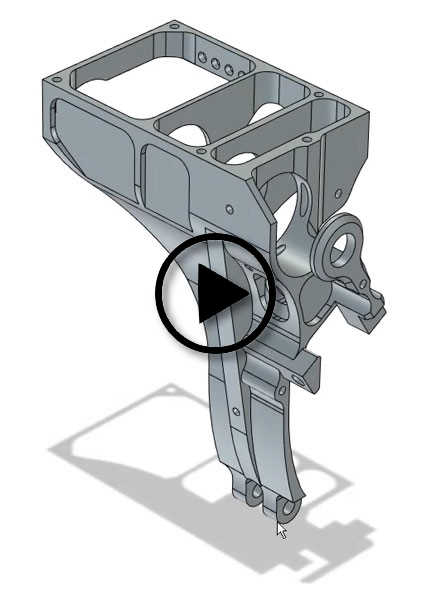


Customizable Catalogs
Use our drag and drop catalogs, or customise them yourself, adding in every part, feature, or assembly that is commonly used in your design process.

Award Winning TriBall
One of the most powerful patented CAD tools in the world. Move, copy, pattern, and link features, parts, and assemblies all in a few clicks.

Easy & Powerful Sheet Metal
A whole catalog of drag & drop sheet metal tools so you can design quickly and intuitively, then just one click to unfold your part.

Push & Pull Shapes
Instead of slow 2D profile editing, use our push and pull shape technology to design faster and build custom shapes.

Unified Design Environment
Design one part, or one million parts all in the same file. Design faster and more accurately in context.
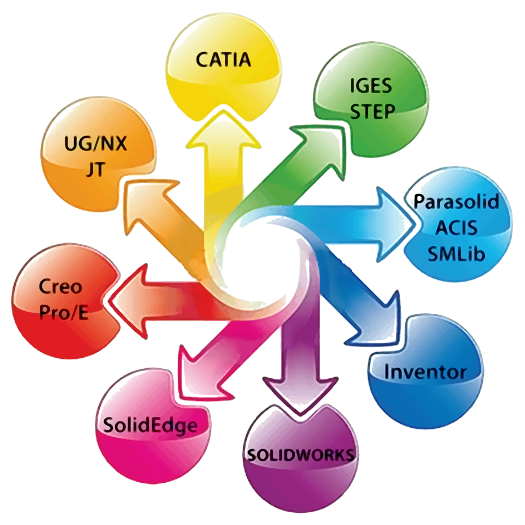
File Compatible
Almost every MCAD file format is supported with IronCAD’s translators making it easy to work with others using legacy MCAD systems.

History Independence
Forget about history-tree crashes from traditional software. Design without fear of failure.

Flexible Constraint Options
Choose when and where to apply constraints, and save hours upon hours of design time.

Patented Dual Kernel Tech
The only system in the world with dual kernel technology providing better import/export geometry.

Powerful Direct Editing
Easily customise and edit other programs models without worrying about how they were made.

Bulk Drawing Creation
Create 100’s of drawing views automatically with just a few clicks, from every part in your assembly.

Integrated FEA & CFD
Seamlessly integrated FEA & CFD analysis inside the IronCAD interface. Run a test, then change your model and click re-run in seconds.

AI Assistant
Tech support and design advice is built-in to guide you as work. Access everything there is to know about using IronCAD.

AI Driven Assy Creation
Let AI automatically build full assemblies from your prompt and your smart parts library. Turn hours into seconds.

AI Auto-Documentation
AI learns your office standards and applies them to the automatically generated 2D layouts. Every chosen part and assembly in your model documented fast.
IronCAD System Requirements
| Windows Windows 11, 10, 8 or 7 (64bit) Intel i7 or higher 16GB RAM or greater 2GB Hard Drive (SSD preferred) Mouse with scroll wheel NVIDIA graphics card with 2GB (4GB or more recommended) supporting OpenGL or Direct-X 1920 x 1080 screen resolution or higher recommended 4k screens are supported |
Looking for a new computer? To be certain you are getting the right machine, you can purchase our CAD-tuned laptops directly from us.
What license options are available?
IronCAD is typically supplied as a perpetual (keep forever) license with upgrades for the first 12 months included in the purchase. Upgrades can be purchased as desired after that by extending upgrade subscription each year.
Subscription (rental) licenses are also available on request to cater for short term projects or to fully evaluate the software over an extended period.
Is it important to model things in strict order?
Not in IronCAD. Other products use a structured history-based approach, this means the order in which you model your design is critical to the way your model behaves as you make changes… Get the order of features in your model wrong and one simple change to one small aspect of your design could mean the most bizarre results and time consuming re-building to make the model work again.
IronCAD is different because it has both structured and non-structured part design. Non-structured works particularly well when you are in the more creative stage of design and are testing out concepts and ideas and need to make radical changes quickly without being constrained by the model's sequence of construction.
Why do I need dual kernel technology?
This video visually explains why it is important to have both ACIS and Parasolid modeling engines. (See also the CAM information in this section)
What is IronCAD Configurator?
Configurator is a unique tool (available on an annual basis at very low extra cost) that lets your sales people interact with your clients to visually show how multiple components or assemblies come together into a configured system, by dragging and dropping them into a scene. Instant BOMs and Quotes can be generated from the completed configuration using this tool and the production team have absolute clarity when the time comes to create the order.
What is Smart eBehaviour?
IronCAD allows more intelligence and even domain-specific knowledge to be added to your components through a process we call Smart eBEHAVIOR. You can create intelligent features, parts or components that position, size and orient precisely onto other components. You can even add behaviours such as predefined constraints that can provide accurate movements in mechanisms. Further extend your design process by adding connections to other business related processes such as ERP to provide information such as pricing, availability, or manufacturing delivery to make more informed design decisions on your new products. Store this intelligence into your catalogues as Smart eCONTENT to share across your organization and even with customers using any one of the IronCAD products to meet different users’ levels of expertise.
Comparing to SolidWorks, Inventor, Fusion 360 etc?
Here are some Frequently Asked Questions to help you out.
Why should you switch?
IronCAD can most often do the same job in half the time of other traditional MCAD systems. When you add this up over any realistic company time period, using IronCAD can provide your company with far more return on investment and more profit. Further to that, IronCAD makes it significantly easier to make design changes, so you will likely have a far more enjoyable experience.
What about training time?
We have a free one week training course, which should have most people confidently using IronCAD by the end of the week. It’s about 8 hours of self-paced videos, so you can also do the whole course in a day if you want to, that’s how quick it is to learn IronCAD. We also have tons of free online tutorials, and can provide personal tech support to make sure you get up to speed quickly and easily. Many of our users and team have experience in traditional MCAD systems like SolidWorks, so can help guide you through our new design methodologies that can help you.hen facing real-world engineering design challenges. IronCAD represents a fundamentally better way to design in 3D, it can help you be more profitable, train employees faster, and react faster to real world design challenges.
My employees already know and use a different product.
The first thing to note is that you can train someone to use IronCAD in just one week of our free training course. So within one week your employees could be trained in a system that will likely enable them to work twice as fast. In any long term business profit calculation, IronCAD should very quickly pay back any short time you spend training employees.
What about industry standard?
There is no ‘industry standard’ in CAD software because there are so many systems available and companies often use different systems, some even still use 2D only systems. At the end of the day there are two things that matter here, producing manufacturing data that can be shared (2D Drawings, DXF files for CNC etc), and secondly being able to open and share your 3D data with other companies. Both IronCAD and SolidWorks can easily share data in the common “STEP” 3D file format, opening each others files. IronCAD can easily produce accurate manufacturing drawings, DXF files etc for CNC. The output is what matters at the end of the day for most companies choosing a CAD system. IronCAD can often provide double the output of SolidWorks in the same amount of time.
Who uses IronCAD?
IronCAD products are used by hundreds of thousands of people around the world. From one-person-garages, to multi-billion dollar corporations. Companies like Toyota, Hitachi, Huawei, Ericsson, Ricoh, Husqvarna, and many more.
Want to get technical?
Other traditional MCAD systems have a different core technical methodology to IronCAD. This (as well as IronCAD’s innovative tools), is what makes a huge difference on a technical level.
The alternatives have what’s called “Dependent History”, which means that almost everything that is created, is dependent on the item above it in the history tree. So when you go to make a design change on a detailed model, you often get “History Tree Crashes” or part failures on the items below the item you changed. This is a famous error in these types of systems.
IronCAD has “Independent History”. Each item is supported by itself, and is not dependent on other items above it. This means you can make a change and not get a broken down history tree like in traditional systems. In modern engineering, changes happen all the time, and IronCAD has been built to more effectively adapt to those technical real-world engineering challenges. If you need to, you can assign dependency between parts in IronCAD, using it in a similar way to traditional MCAD. However, in most cases this will likely be a much less efficient way to design, so even though we provide the option, we don’t recommend using it on a regular basis.
On top of this, IronCAD has some extremely powerful tools built to get the most out of this more flexible design environment suited to modern engineering. You have the TriBall, which is a patented tool that replaces the need to use reference planes, and allows you to copy and position things in far less time than a traditional system. You also have IronCAD’s drag & drop catalogs, allowing you to skip past the old “make plane > create sketch > extrude sketch” approach in traditional systems. To do the same thing in IronCAD you simply drag & drop a 3D block. At the core of this 3D block is still a sketch and an extrude which can be customised, but you have skipped the unnecessary steps. IronCAD then provides push-pull handles to make common size changes even faster.
At a design environment level, traditional systems like SolidWorks have the user design each part individually, then at the end connect them into an assembly with a time-consuming mate and constraint process. IronCAD allows you to design parts individually if you want to, but generally this is a less productive way to design. Design can be better when it is done in context with the rest of the model. For example if you’re designing a car door, you want to be able to see the car around it so you can make sure it fits first time. IronCAD has a unified design environment, so you can design as many parts as you like in the same file. This creates a fundamentally better design process, and also means you can skip most of the mating and constraining done in a system like SolidWorks. All your parts are already in the right place and fitting perfectly, because you design them in place, in context of the rest of your design. You can still apply mates and constraints if and when needed, but after learning IronCAD you’ll likely notice many of these are no longer needed, and you can operate at a much faster rate.
This is just scratching the surface of the technical details of each system, and we are more than happy to discuss this in more detail. We believe IronCAD’s core technical methodology is fundamentally better, and we are happy to compare and discuss anytime.
How does it handle large assemblies?
Q: “We have large assemblies with thousands of parts. Our current CAD software does not cope very well with these, especially when generating 2D drawing views from the model onto the page. It has a feature designed to make the parts in the assembly less demanding but it doesn't seem to help much. How good is IronCAD with large assemblies?”
A: IronCAD’s earlier versions had much the same problem that you are experiencing but the two latest versions have changed that and are brilliant at handling large assemblies. There are special modes of display for small parts and also a way to generate 2D drawings without having to compute every aspect of every part of every assembly of every sub-assy of… you get the picture. Its good.
Additionally, models that are detailed and contain many components will render on screen in real-time faster than any other software we tested which makes working on large models much easier. It is still important to run a fast CPU with lots of RAM.
Who uses IronCAD?
Question: “We are a manufacturer in Australia and have heard good things about IronCAD. We currently use Autodesk Inventor but we’re not really happy with it. Could you give me a list of users of IronCAD that I might be able to talk to? From what I’ve read on the net and in forums IronCAD looks like it might be a much better fit for us but it helps if we can talk with users first hand.”
Answer: Here is an extract of some clients using IronCAD in your region that are ok for someone to chat with them. Many clients have switched to IronCAD from other MCAD software and none have ever gone back!
James Forten Engineering, Action Bearings, Adval Australia, Boss Aluminium, Carbontech, Colourvision Systems, Compound Polymers Aust, Cridland Automation, Dana Spicer Australia, Decon Conveyors, Design JS, Display and Design, Invetech, Iggy Design, JW Design, Lakeside Cooling Towers, Melville Tooling, NHP Electrical Engineering, Omegatech Drafting, QD Lighting, Robotunits Australia, Safezone Electrics, Technicad Solutions, TycoWater, Vocom Exhibition Services, OneSteel, Infinity Design, Mallet Foundry, Pixie Ice Cream, Redflow, Skyline Design, Vinidex, Beurteaux, Roscos Trademate, Tommotek, Displaywise, Ennor Engineering, Mobasco, Visimage Displays, Seattle Services, SED Manufacturing Services, Suspension Technology Aust, Able Industries, Atco Engineering, BAE Systems, Carbontech (Redback Spyder), Colour Vision Systems, Compol P/L, CSL Limited, Convair Engineering, Cridland Automation, The Elan Factory, Fosters Limited, Honeywell Australia, Lakeside Cooling Towers, Mobile Refrigerated Air, NHP Electrical Engineering, Outerspace Design Group, RMIT Product Design TAFE, Stageweld, Swinburne Engineering.
Let us know what you design and we can let you know of others using the software in your industry (with their permission of course).
Can I install IronCAD onto more than one computer?
Yes. You can either unregister and reregister your license using an online process or purchase a USB ‘dongle’ that enables the license to run on whichever machine the dongle is plugged into.
A free ‘home use’ key is provided for the first 12 months and can be extended each year as a part of optional upgrade subscription.
If you need access to IronCAD from multiple machines concurrently on your network you can purchase network license manager software that will allow you to run as many seats as you have purchased at the same time across the network.
Where does IronCAD sit in the MCAD space?
IronCAD is at the top of the ‘Mid-Range’ MCAD space. Let us explain…..
At the bottom are products that lack key functionality or have simply added ‘solids modeling’ to an existing ‘wire frame’ CAD environment – These products include AutoCAD, TurboCAD, BricsCAD and more…. they are older technologies with solids added in.
Next are entry-level parametric modelers. These are true 3D modellers but are limited in functionality or fail when complex designs are attempted. They often do not support common file exchange or large assemblies but are fine for small one-off designs. They can be ideal for hobbyist on a low budget.
Above these are the professional modellers. These include Autodesk Inventor, Solid-Edge, SolidWorks, Creo and IronCAD, with IronCAD having both speed, dexterity and useability advantages.
Sitting above mid-range solutions are products like Catia, and Unigraphics. These are at a much higher price and designed for hugely complex projects like that carried out by Boeing or SpaceX.
Each year we find that the more advanced features and functionality of these top-end programs are being incorporated into the mid-range software.
What CAM software works with IronCAD?
Unlike any other MCAD software, IronCAD works with all CAM software using either the Parasolids or ACIS solids kernels. For tight integration with advanced CAM tools, IronCAD lets you ‘Live-Sync’ directly with ENCY’s suite of CAM modules including Robot control, CNC milling, cutting, lathe and more.
How can we upgrade from our existing CAD?
Easy. Already having a competitor CAD software such as SolidWorks or Inventor is easy to transition from. Use the models you have already created by importing them into IronCAD via the add-on translator. IronCAD will add intelligence to the most important features so you can start modifying your existing models straight away. Test the limits of compatibility and reassure yourself of the ease of upgrading to IronCAD by organising a free trial. The only real challenge is unlearning old and slow methodology of those systems. Compare IronCAD with traditional CAD here.
What others are saying
'We use about 20 seats of IronCAD. You can design in 3D way way faster than normal programs and it's so easy that even a 15 year old boy learns it within 2 days… '
Johannes Schreiber – Robotunits
“That’s one of our focus points of our company, we never say no, and if we want to deliver the next day we deliver the next day and IronCAD is very useful for us to design products that can be delivered the next day. It’s very easy to learn, we have a default training program for each new employee and within one week we can place people for production purposes with IronCAD. We are very pleased with with our decision.”
Eddy Huis in ‘t Veld, Software Engineering Manager – Van Keulen
'We switched from one of the most common parametric mainstream 3D CAD programs to IronCAD. We have not regretted this for a second. The change has saved both time and money – clearly IronCAD has increased our profitability.'
'I have used pretty much all of the popular and expensive CAD systems such as ProE, SolidWorks, Solid Edge, Catia, Delcam etc, but none were as easy or as fast as IronCAD is. More things just get done in less time, period!' Mike Walls – Microplanet
“We appreciate that it is easy to make changes with IronCAD. It’s also easy to see how parts fit into different projects. The dynamic program structure is a big advantage.”
'IronCAD has made the design process much more efficient and effective allowing our designers more flexibility and freedom in their work than ever before. We could never be this efficient in Pro/E or other constraint based systems.'
Anders Uddman – Ankarsrum Motors
'IronCAD makes the design process quick and easy, by allowing users the freedom to work with precision, but without the necessity of constraints. Tools such as the TriBall and SmartAssembly, allow us to design quickly – and just as quickly, respond to the changing needs of our clients.'
Michael J. Allen – Skyline Exhibits
'What I really appreciate about IronCAD is that it works so freely and easily, it's a really big difference in approach, more logically laid out. The ability to have as many parts in a single file makes working and designing much easier, especially given the complexity of the machines we design. If I later choose to have a part saved out to a separate file, I have that option, but it's my choice. Having handles on the features makes it really easy to size components, SmartSnap makes accurate sizing relative to other parts in the design as simple as holding down one key on the keyboard and dragging…'
Richard Liljedahl
Starter Pack
Try before you buy.
Supported trial with training.
A$ 249
Includes:
-
-
- 30 day unrestricted trial
- Access to IronCAD Academy
- Ability to extend trial period
- 1 hour custom 1-on-1 training
- Access to the support desk
-
Or
Free Trial
Try before you buy.
Go-it-alone fully functional trial.
Includes:
-
-
-
- 30 day unrestricted license
- Access to IronCAD Academy
-
-
Perpetual
Get a lifetime license of IronCAD.
A$ 790 / month for 12 months
Or
A$ 8,990
Includes:
-
-
- IronCAD perpetual license
- Upgrades for 12 months
- 12 month ‘Home Use’ license
- Access to IronCAD Academy
-
Add-ons
Enhance your perpetual license experience with
A$ 1,890
A$ 1,590
A$ 1,290
A$ 1,590
A$ 2,590
A$ 990 / year
Annual license
A$ 1,390 / year
Annual license
A$ 895
Annual
Get a 12 month subscription license of
IronCAD + IC-Translator
A$ 2,990 / year
Or
Get a 12 month subscription license of
IronCAD + IC-Translator + IC-Mechanical Lite
A$ 3,490 / year
Or
Get a 12 month subscription license of
IronCAD + IC-Translator + IC-Mechanical Lite + Multiphysics Lite
A$ 3,990 / year


Training
IronCAD basic training is completely free. Access hundreds of training videos and interactive web pages to learn IronCAD fast.
IronCAD vs. Others
Compare IronCAD’s unique approach to that taken by traditional CAD Systems like Solidworks, Inventor, Creo, Solid-Edge and more..